Audio Quality Degradation in Cloud-Based Recording Bots
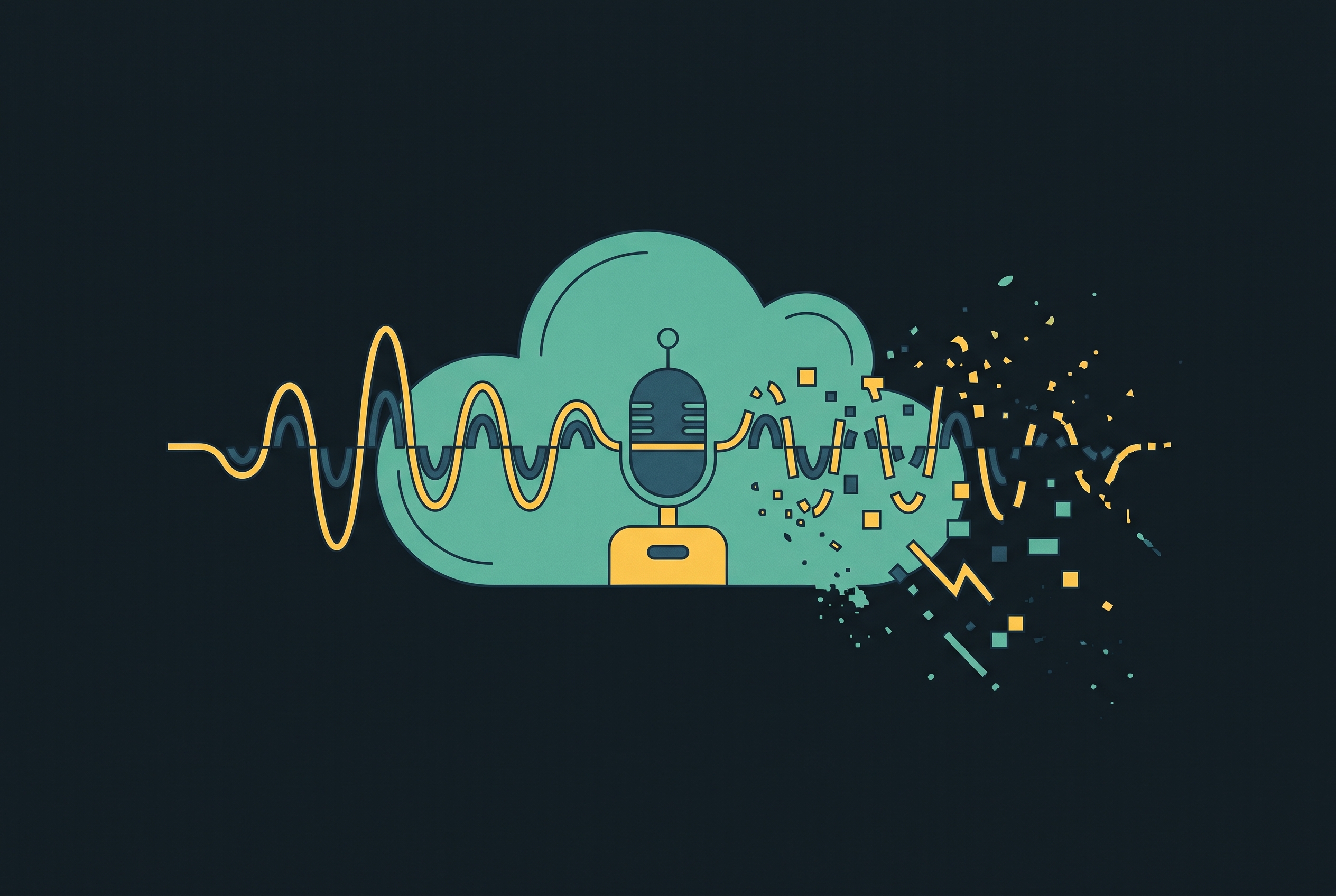
Audio quality degradation in cloud-based recording bots is not random. It follows a predictable chain of technical mechanisms, from the extra network hop a bot introduces, through packet loss, jitter, and codec compression, and each link in that chain produces its own distinct failure. If you understand the chain, you can diagnose which mechanism is causing a given problem instead of treating every bad recording as an unexplained glitch.
What cloud recording bots do to an audio signal
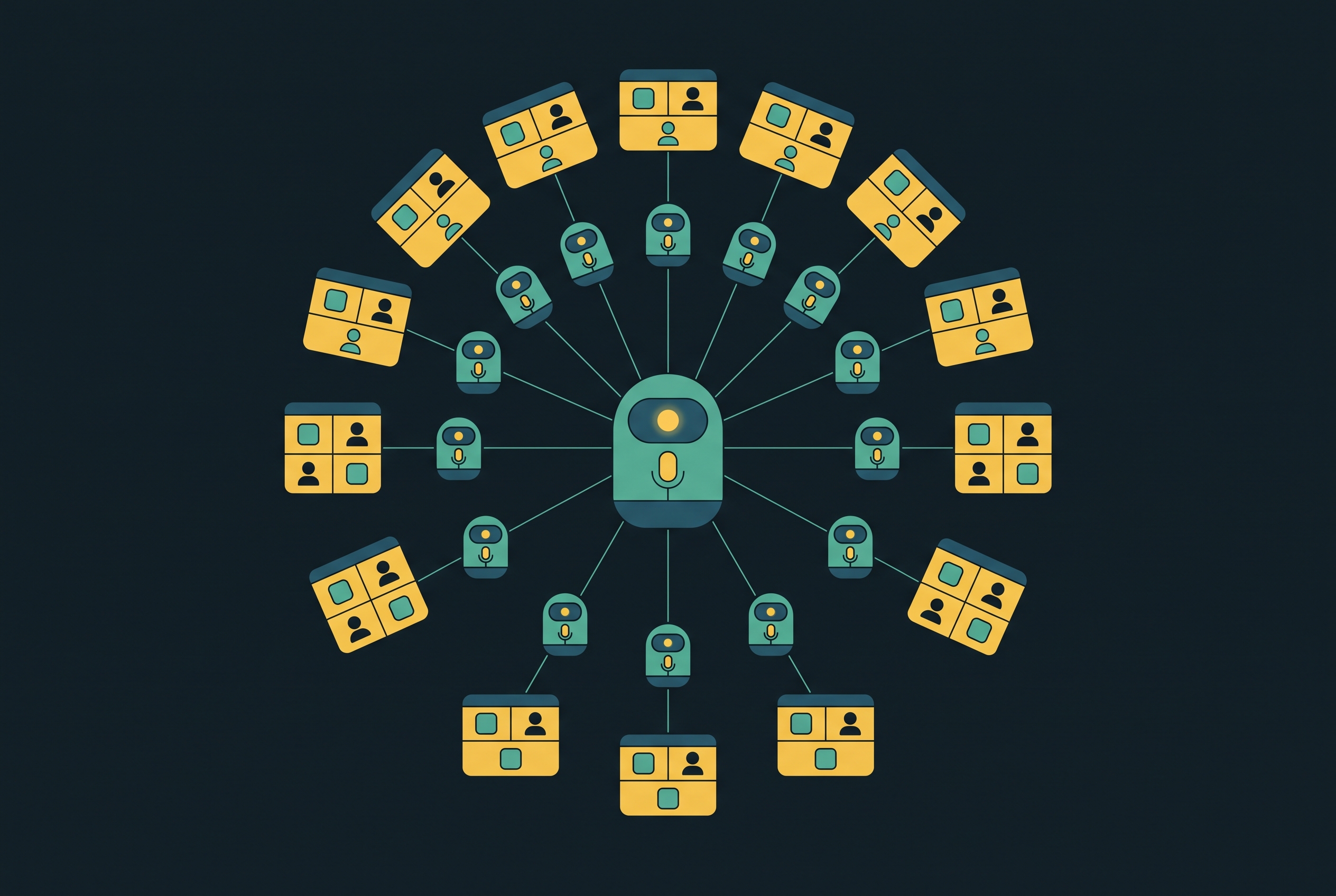
A cloud-based recording bot doesn't degrade audio through just one flaw. It degrades audio because of how it sits inside a call: as an extra participant, joining the meeting the way a human attendee would, it creates a new network path that every word spoken must travel through before anything gets recorded. It receives audio the way any remote participant does, after the meeting platform has already encoded that audio and sent it across the internet.
This is the structural detail that separates bot-based capture from native or OS-level capture. A native recorder sits closer to the source, so it can often grab audio before it takes the long trip across the network. A bot cannot. Scribbl's taxonomy of recording methods treats this distinction as the defining feature of the "AI notetaker" category: the bot's presence as a participant, rather than a hidden process on the host's machine, is what separates it from native and no-bot recording tools.
That extra hop is not just a conceptual wrinkle. A person in the meeting hears the audio almost instantly, but it has to travel further to reach the bot, crossing public internet infrastructure that was never built to guarantee perfect delivery. Everything described in the sections that follow, the packet loss, the jitter, the codec compression, follows directly from this one structural fact: the bot is a participant, not a tap.
How packet loss turns continuous speech into choppy, cut-off audio
Packet loss is most often why bot-captured audio sounds choppy or cuts off mid-word, and it happens because the audio has to travel that extra network path. Voice calls over the internet break speech into small packets, and they get sent across the network separately. Good audio quality depends on nearly all of those packets making it to their destination, and on time.
When a packet gets lost, or shows up too late to be useful, the system on the receiving end has nothing to play back for that slice of time. What follows is a gap, a clipped syllable, sometimes a dropped word. For a bot, any loss that happens on the way to its cloud instance appears directly in what gets recorded, even in cases where a human on the same call never notices a thing.
Loss is not evenly distributed across a call. It tends to spike with network congestion and with variability in how packets get routed. Distance between the meeting platform's servers and the bot's cloud region does not cause loss by itself, but it adds latency and more hops along the way, and both of those can raise the chance of something going wrong. A human listener's device buffers audio in a way that papers over small amounts of loss, so a call can sound perfectly fine to the people in it while the bot, receiving that same degraded stream without the benefit of a listener's perceptual forgiveness, ends up with a recording full of audible gaps.
Jitter and robotic, metallic voice distortion
Jitter causes a different, recognizable failure: voices that sound robotic or metallic. The mechanism is timing. Jitter is the variation between when voice packets are supposed to arrive and when they actually do. Nothing goes missing. The packets all show up, just not at evenly spaced intervals.
The receiving system then has to take that unevenly spaced data and turn it back into a smooth audio stream. When the timing variation goes beyond what the playback buffer can absorb, the reconstructed audio comes out sounding synthetic or metallic, the kind of distortion people associate with a bad phone call. Choppy audio means data never arrived, while robotic audio means the data arrived but the timing underneath it was wrong.
A bot's cloud instance is more exposed to this problem than a local participant would be, simply because it sits at the far end of a longer, less controlled network path. Jitter builds up across hops, and each additional step in the route adds more variance to how evenly packets land. The extra hop that defines the bot's architecture, the same one responsible for packet loss exposure, adds a segment of path that local, on-device capture never has to cross, and that segment is where jitter accumulates.
Codec compression of the signal before recording
A cloud bot has not even captured a single sample before the platform's codec has already compressed the audio, and that compression throws away frequency information for good. WebRTC is the dominant protocol behind browser-based conferencing, running underneath Google Meet, Teams, Discord, and Slack, and its primary voice transport is the Opus codec. Opus was built for human-to-human conversation: it optimizes for intelligibility at low bitrates, not for the kind of fidelity that transcription models or speaker-analysis tools need downstream.
Some engineers now argue that WebRTC needs voice codecs and networking behavior tuned specifically for bots, because what works for a human listener doesn't necessarily work for a machine processing the same audio afterward. You can fill in a slightly muffled word from context without even noticing. A transcription model has no such context to lean on, so it needs the acoustic detail that low-bitrate encoding already removed.
Lossy compression cannot be undone. Once frequency components are stripped out during encoding, no amount of processing at the recording stage brings them back. FLAC, by contrast, is a lossless format where the decompressed audio is identical to the original; lossy formats give that up in exchange for smaller file sizes. A bot captures whatever arrives at its end, compression artifacts included, but not the original acoustic signal that left the speaker's mouth.
The file format a bot chooses to save its recording in then adds a second layer of compression on top, if that format is itself heavily compressed. Audio saved at low bitrates loses the fine acoustic cues, sharp consonant edges, and the subtle overtones that help distinguish one speaker's voice from another, and speech recognition systems need these to resolve ambiguous sounds. Output formats like WAV or FLAC preserve more of whatever the codec left behind and transcribe more accurately as a result. High-quality MP3 is a lossy option, but a reasonable one, when lossless formats aren't practical.
Platform-level restrictions that compound what the bot receives
Signal physics and codec choices are not the only constraints a bot has to work around. Meeting platforms themselves impose architectural limits, and no amount of bot-side engineering can get past them. Microsoft Teams, for example, offers an admin-controlled policy that can block third-party bots from joining calls. That policy is disabled by default, may not catch every bot even when it's turned on, and can be enforced at the organization level, but it's not a blanket, platform-wide bar against bots. Still, a bot that gets blocked from joining captures nothing at all, which makes every question about audio quality beside the point for that call.
Even when a bot does get in, the typical business meeting hands it a single mixed audio stream bundling every participant together. Multiple speakers talking over each other, inconsistent microphone quality from one attendee to the next, background noise coming from several directions at once, and whatever compression artifacts the codec has already introduced, all of it arrives at the bot bundled together, before the bot applies any processing of its own. Some conference-recording architectures take a different approach and capture separate audio streams per participant, which sidesteps a good deal of this problem, but that approach is not universal across platforms or bots.
Impact on Transcription Accuracy and Speaker Attribution
The combined effect of the extra hop, packet loss, jitter, and codec compression does not land evenly on every recording. It lands hardest in exactly the conditions that show up constantly in real business meetings: accents, fast talkers, technical vocabulary, people talking over each other.
Transcription accuracy takes the clearest hit. Speech recognition models depend on acoustic cues, clean consonant edges, stable pitch, consistent timing, and each mechanism in the degradation chain chips away at those cues before the model ever sees the audio. Heavy accents, rapid speech, specialized terminology, and crosstalk all reduce the redundancy a model normally uses to resolve an ambiguous sound, and a degraded signal strips out that redundancy before the model gets a chance to use it. At the margins, in exactly these edge cases, improving the input signal gives you bigger accuracy gains than switching from one leading transcription model to another.
Speaker attribution runs into a related problem. Knowing who said what requires the bot to keep audio and metadata synchronized for the length of the call, and packet loss and jitter both disrupt that synchronization. A bot that loses timing fidelity starts assigning words to the wrong speaker, an error that's genuinely hard to spot in a finished transcript and expensive to go back and fix. Capturing a separate stream per participant is one way to sidestep this, since it removes the need to untangle speakers after the fact. So when the stream is mixed, the bot has to perform that separation, called diarization, on audio that's already degraded.
A documented engineering case shows what this looks like in practice. A speaking meeting bot had its streaming audio frequency locked to a fixed sample rate, with a converter set to match. The bot replied during the call, but the voice that came out was unintelligible. Across several versions, the team tried changing the sample rate, adjusting packet size, and adjusting echo handling, including adding and later removing a feature called EchoGate. Even after all of that, Teams playback stayed scrambled, but the same stream played back correctly on Google Meet. The signal and the settings were identical across both platforms. The only thing that differed was the platform itself, which is direct evidence that platform-level behavior compounds signal-level choices in ways that are hard to predict in advance.
Why real-time noise cleanup narrows but does not close the gap
Real-time noise suppression has gotten good enough that some of this degradation is recoverable, but it works on a different part of the problem than the mechanisms that matter most, and how much it helps depends on where in the pipeline it runs. Tools that strip out background noise in real time can reduce one category of artifact, ambient sound picked up by the bot's cloud instance or by a participant's microphone, without touching packet loss gaps, jitter-driven timing distortion, or codec compression that already happened upstream.
Applying noise suppression after transcription gives a human reader a cleaner-looking transcript, but it doesn't restore any acoustic data the transcription model never had access to. Applying it before transcription can recover some accuracy by cutting down on competing sounds, but it still can't reconstruct a packet that never arrived or reverse a decision the codec made during encoding.
Cleanup tools work best against the kind of degradation they were built for, steady background noise, but they work worst against the timing and packet-integrity failures that come from that extra network hop. A noise suppressor has no way to tell those failures apart from intentional speech, so it has nothing to remove.
That leaves a practical boundary: cleanup tools cut the cost of bot-based degradation when network conditions are good, but they don't remove the architectural exposure that comes from the bot's position in the call. If there's heavy congestion, long multi-hop routing, or a platform throttling bot traffic, failures will still happen that no cleanup layer can mask.
Diagnosing which mechanism is causing a specific recording failure
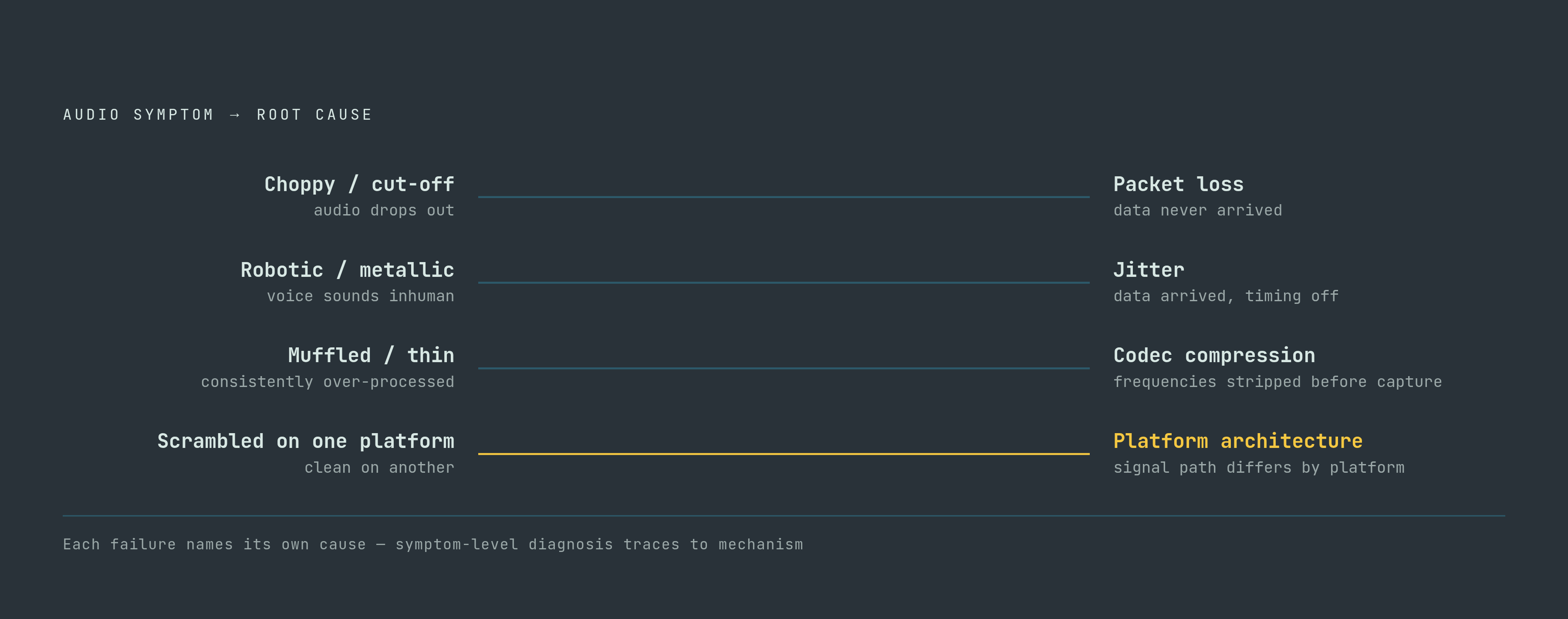
Each mechanism in this chain leaves behind a distinct, audible signature. The specific way a recording fails is itself evidence pointing back to its cause.
Choppy or cut-off audio points to packet loss: data simply never arrived. So you start by checking network conditions between the meeting platform and the bot's cloud region, looking for congestion during the specific call window, and asking whether the bot's cloud deployment sits far from the platform's own servers.
Robotic or metallic-sounding voices point to jitter: the data arrived, but its timing was off. Here the diagnostic path means examining how much variance there is in inter-packet timing, checking whether the bot's jitter buffer is configured for the network conditions actually being observed, and considering whether that extra network hop can be shortened.
Muffled, thin, or consistently over-processed audio, the kind that sounds the same way throughout the whole recording rather than coming and going, points to codec compression having transformed the signal before the bot ever captured it. Here you need to identify which codec the platform uses for bot participants, check the bot's own output format and bitrate, and ask whether the platform applies extra processing to external participant streams specifically.
If audio is intelligible on one platform but not on another even with identical settings, that scrambled or inconsistent output points to platform-level architecture differences in the signal path. In the Teams and Google Meet case, the same stream and the same settings produced scrambled playback on one platform and clean playback on the other. The only variable that changed was the platform. To diagnose this, you test the same bot configuration across multiple platforms to isolate what the platform itself contributes, and you check whether that platform applies bot-specific audio handling or routing that a human participant's stream never passes through.
Speaker misattribution or drift in synchronization points to timing failures building up gradually over the length of a call. Here you need to check whether the bot is receiving a mixed stream or separate per-participant streams, and you evaluate jitter and packet timing across the full call.
None of these failures are random, and none of them require guesswork to trace back to their source. A choppy recording, a metallic voice, a muffled file, a transcript with the wrong names attached to the wrong sentences: each one names its own cause, for anyone willing to follow the chain back to where it started.
Sources
- INTERSPEECH 2022 Audio Deep Packet Loss Concealment Challenge
Informed the article's treatment of packet loss concealment and its audible effects on recorded speech.
- The ICASSP 2024 Audio Deep Packet Loss Concealment Challenge
Informed the article's discussion of packet loss gaps and the challenge of reconstructing missing audio segments.
- Method and apparatus for measuring voice quality on a VoIP network
Provided technical background on measuring and characterizing voice quality degradation over VoIP networks, including jitter and packet loss effects.
- (PDF) Packet Loss Recovery and Control for VoIP
Provided background on how packet loss disrupts continuous speech and the mechanisms that turn lost packets into audible gaps.
- Method and apparatus for non-intrusive single-ended voice quality assessment in VoIP
Provided technical detail on single-ended voice quality assessment methods relevant to the article's discussion of how bots receive and evaluate degraded audio.
- Addressing packet loss in a voice over internet protocol network using phonemic restoration
Informed the article's explanation of how phonemic restoration and packet loss handling affect the intelligibility of recorded speech.
- (PDF) Effect of Packet Loss and Reorder on Quality of Audio Streaming
Provided research on how packet loss and reordering degrade audio streaming quality, directly supporting the article's section on choppy audio.
- Automatic high quality recordings in the cloud
Provided technical detail on cloud-based audio recording architectures and the quality implications of capturing audio remotely.